The thirteenth
fader.
One box on stage. Every musician runs their own in-ear mix from their phone — your console untouched, no extra DSP, no other mix exposed.
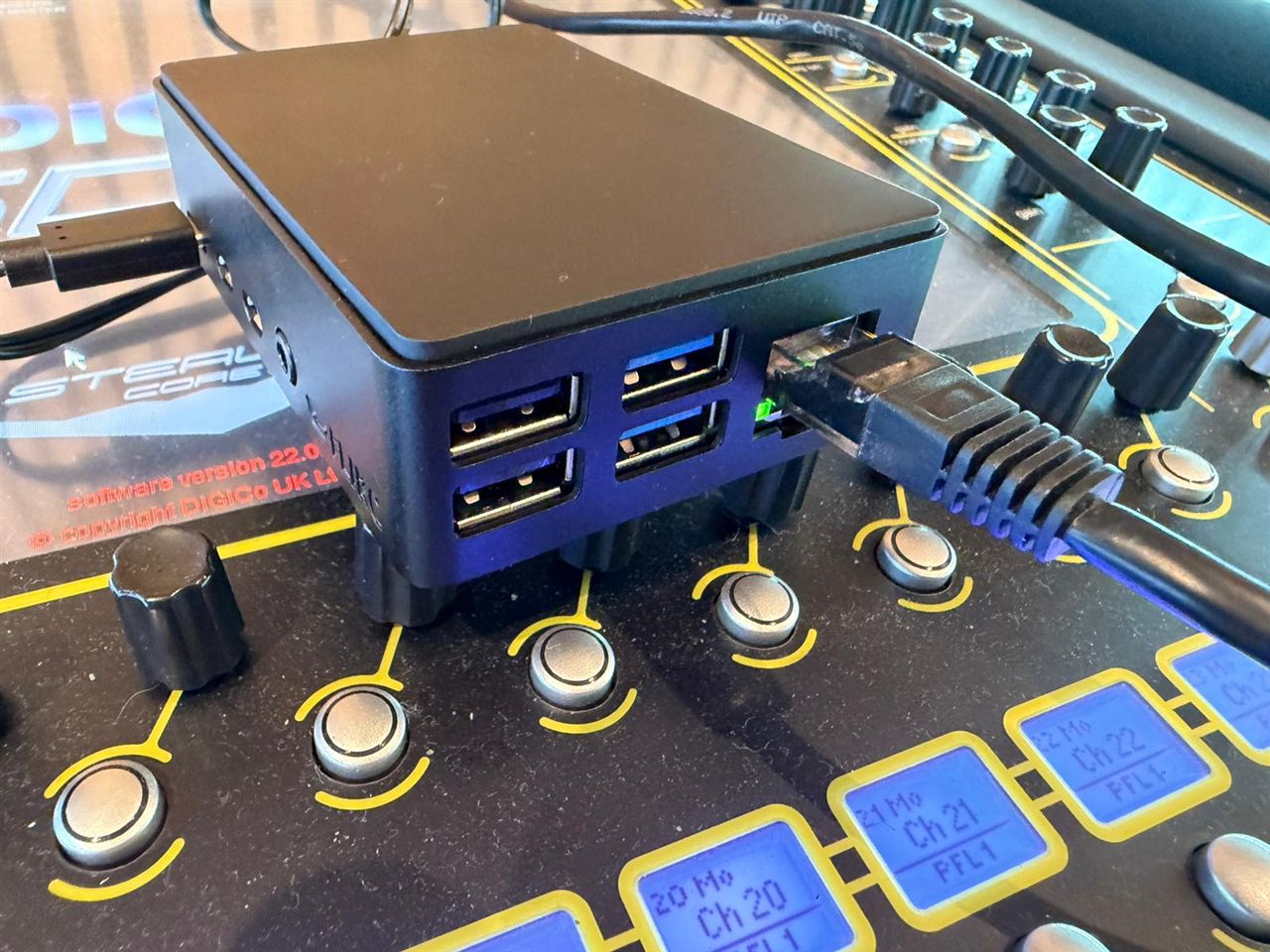
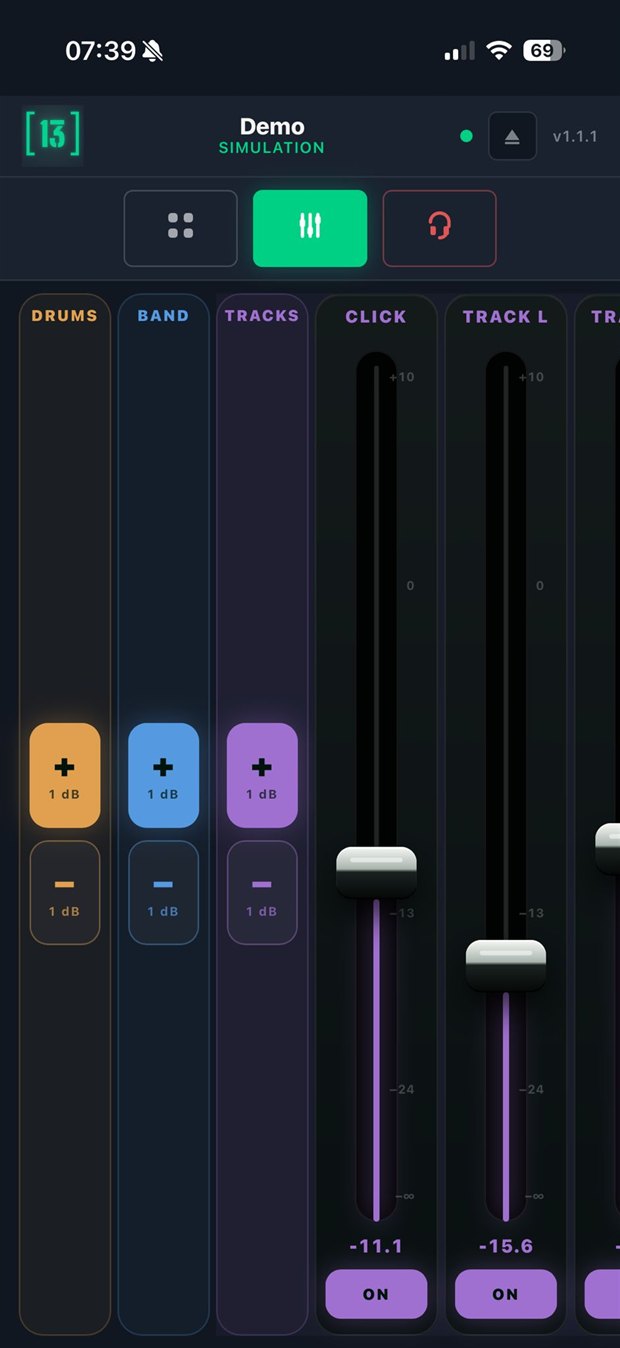
Mid-show the band wants changes — and you're mixing FOH. Many tours don't carry a monitor engineer at all. Give every musician their own thirteenth fader.
Faderr13 gives each musician their own IEM mix on their phone, sandboxed server-side — they only ever see their own aux send levels. You configure the profiles once; they use the free app from then on, show after show.
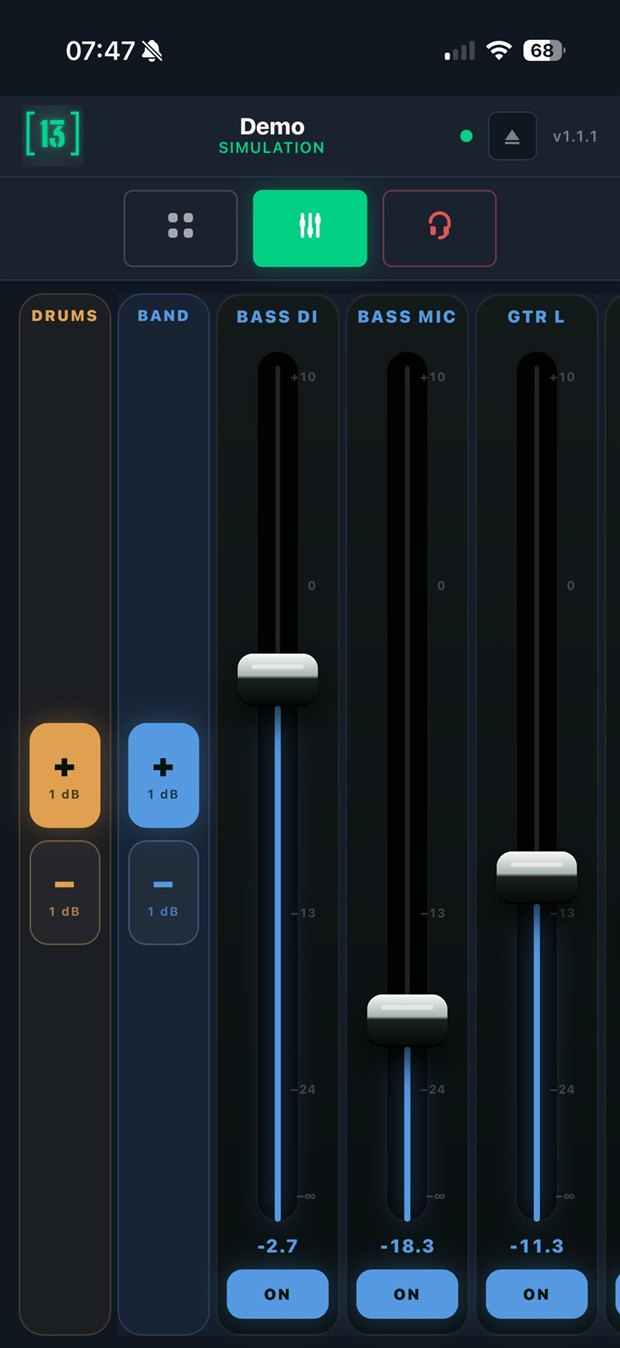
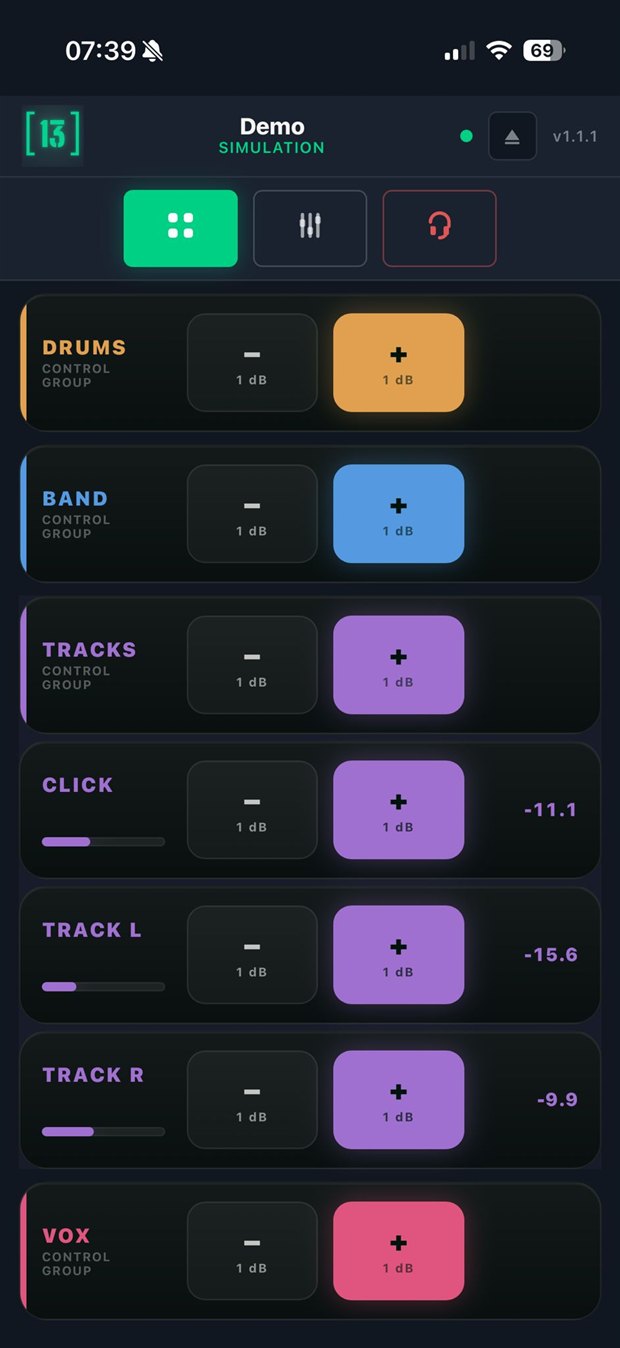
This is what your musicians get.
The real app — two ways to mix, their channels only: individual faders, or grouped for one-touch +/– trims. No EQ, no dynamics, no patching, no one else's mix.
Set it up once, in minutes.
Plug in
Ethernet to your DiGiCo, USB-C power. No rack space.
Scan the console
All channels and aux buses imported in seconds.
One profile / musician
Their channels, groups, aux, and a PIN.
Phone · QR · PIN
They scan two QR codes from the admin — join the Wi-Fi, open their mix. Point them at your venue Wi-Fi or a dedicated access point for the show.
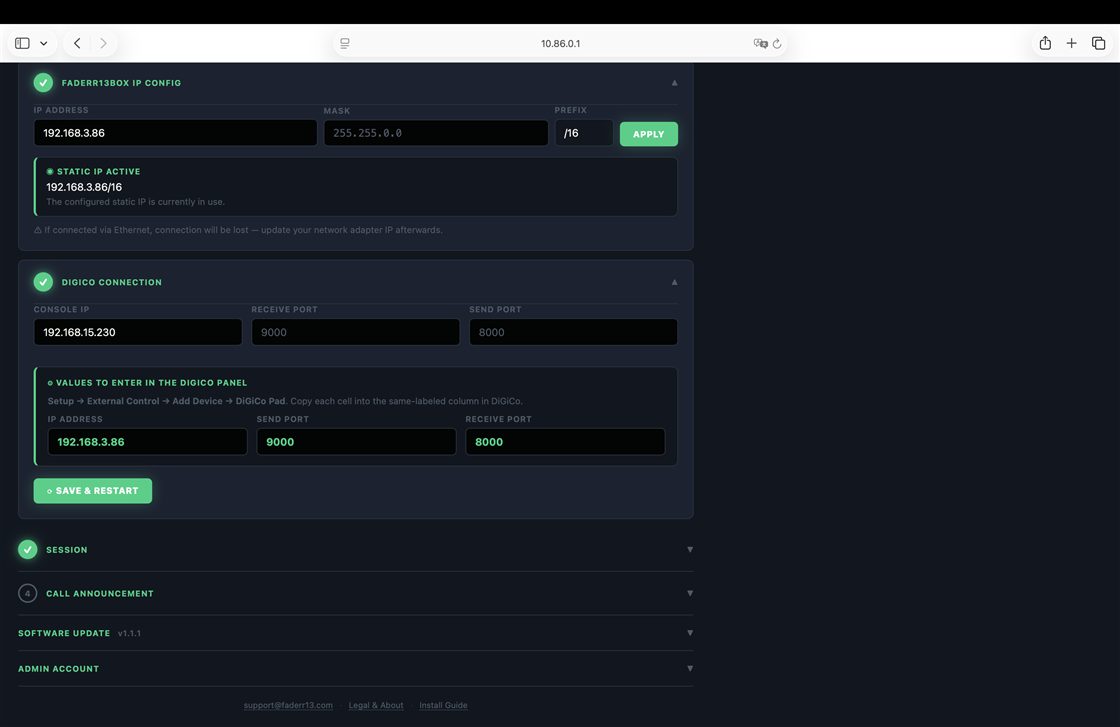
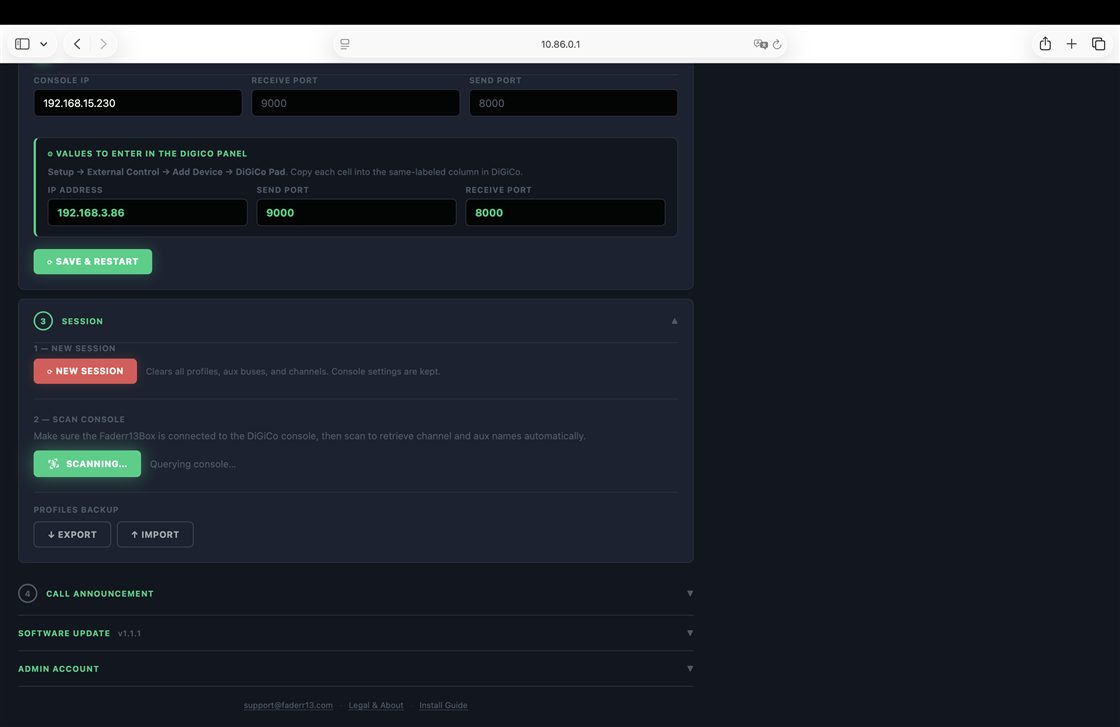
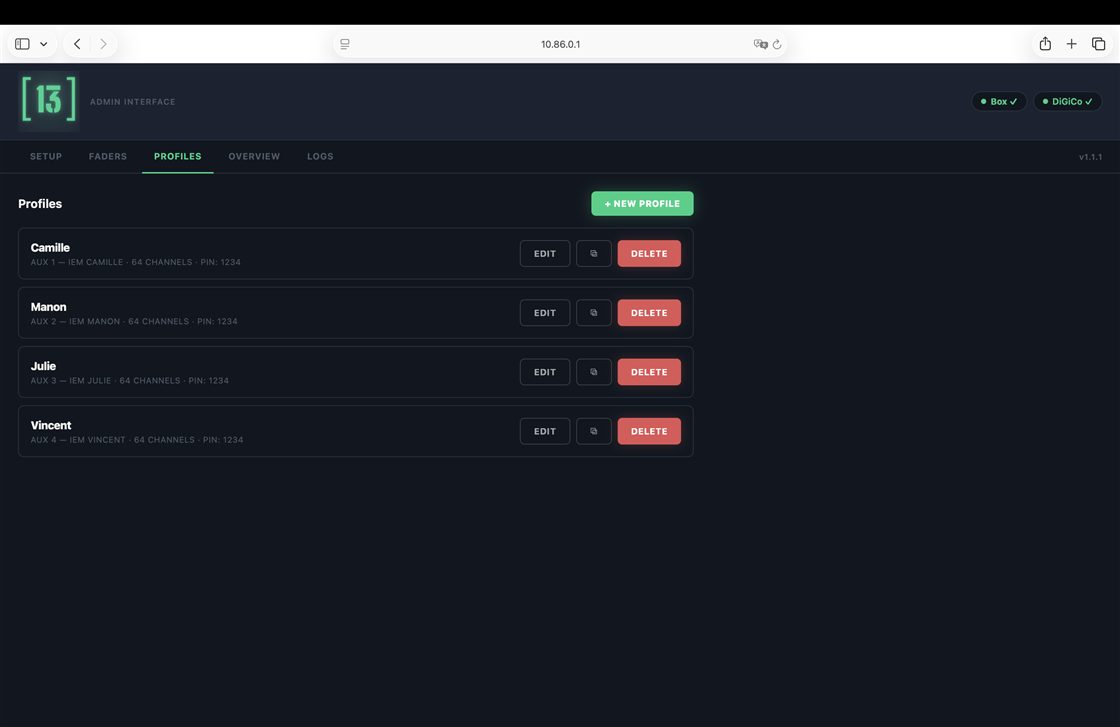
Real screens from the admin — not renders. Full walkthrough in the 8-step engineer setup guide (PDF) →
Beyond the faders.
Five tools you won't find anywhere else on a DiGiCo — open the ones that speak to you.
Control Groups — lockable
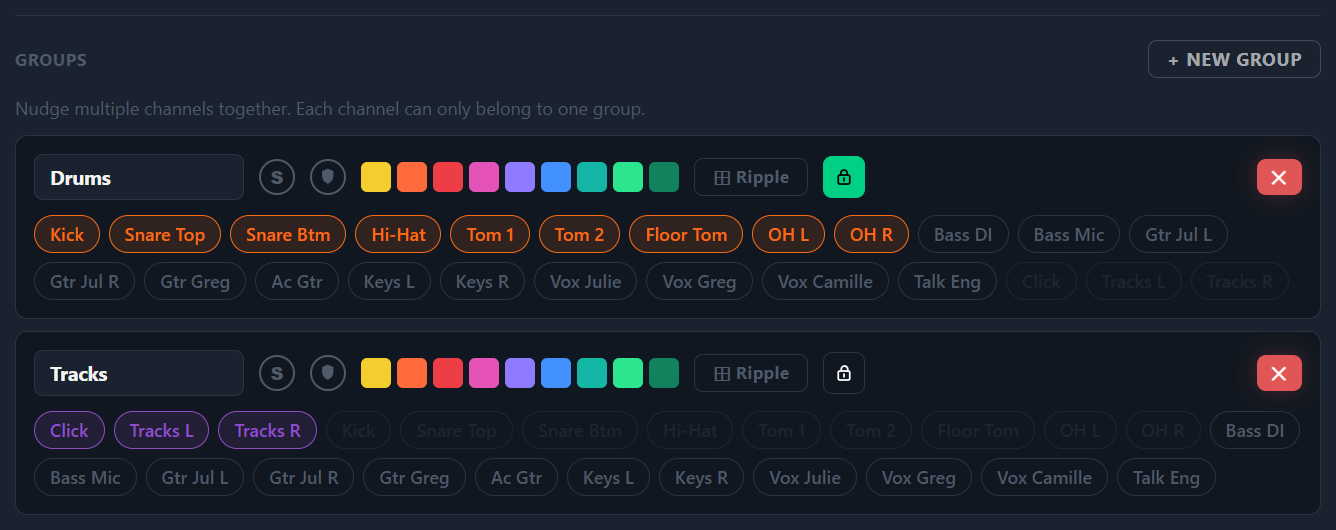
Per-profile groups with a single +/– trim over the whole set — fully independent from the console's resources, so your DCAs stay yours. Lock a group and the musician keeps overall control while the internal balance you set stays protected.
Talkback routing — custom Talk Groups
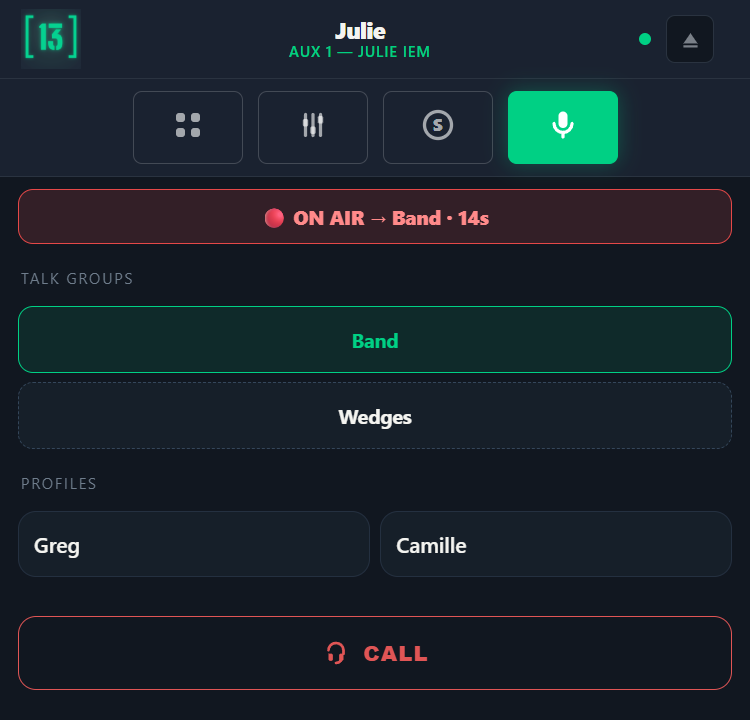
Give a profile a talk mic and let it talk to chosen destinations — one musician, or custom Talk Groups you define. Push-to-talk, or latch with a timeout. Mix levels stay untouched.
Solo in place
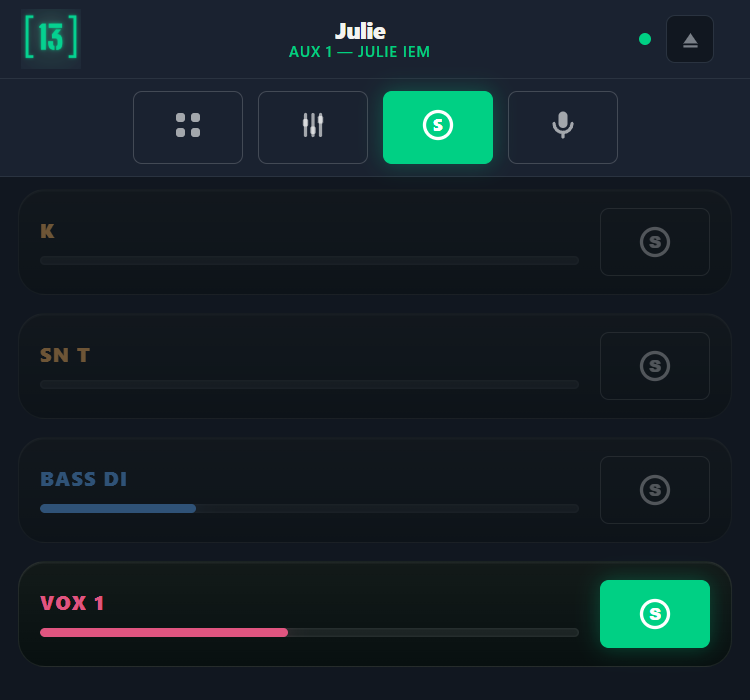
A musician — or a backliner — isolates chosen channels in their own ears. Momentary by design: leave the tab or disconnect and the full mix is restored. Critical channels (click, talk mic) can be flagged "no-change" and are never cut.
CALL — page the engineer
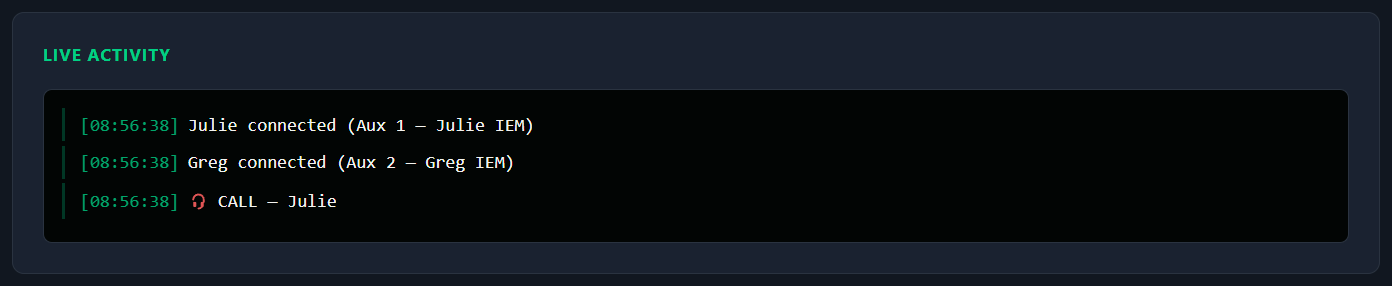
One tap pages the engineer: a red alert in the admin, plus the profile name spoken through the box's 3.5mm output — wire it into a console input as a VOG return and it's audible wherever you route it.
Sound Engineer mode — with a 1/3-octave GEQ
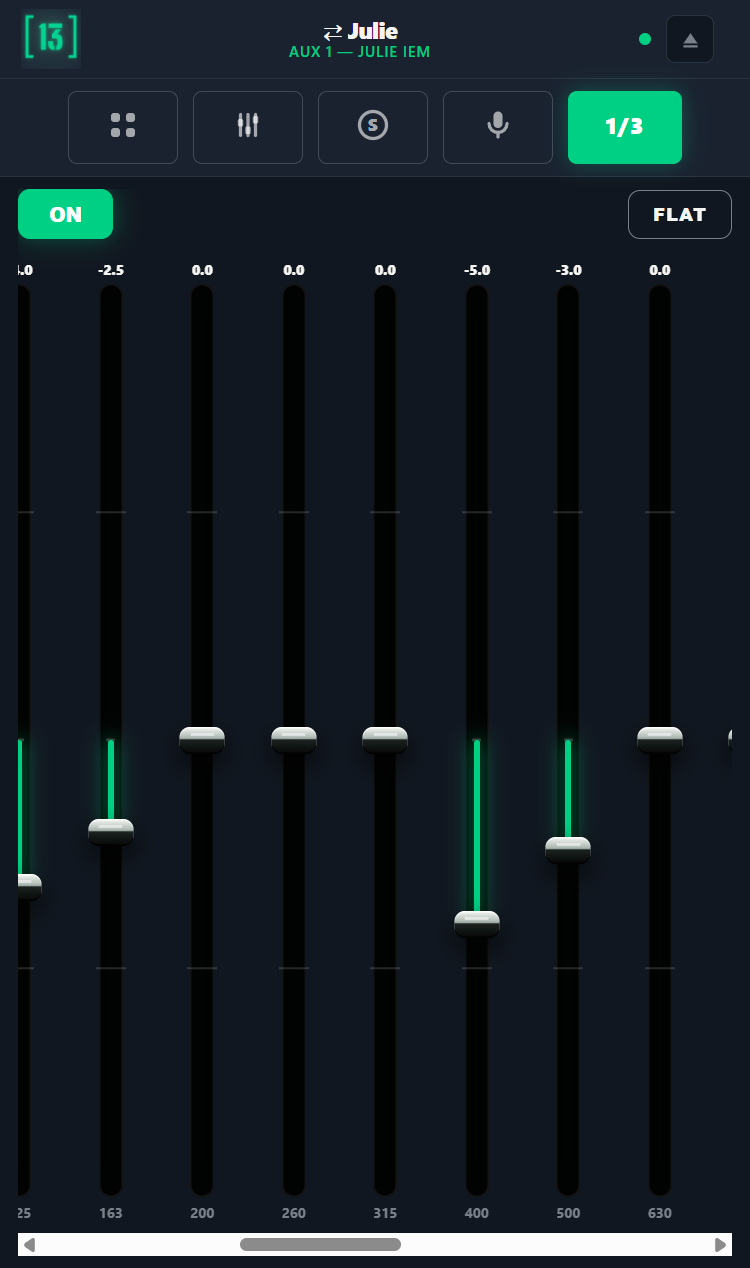
A master PIN lets you take over any musician's mix from your own phone — locked groups unlocked — and open the 32-band graphic EQ assigned to that musician's aux. Ring out a wedge or tame an IEM without walking back to the console.
Every one of these is enforced server-side on the box — not in the app.
Safe by design.
Sandboxed server-side
Every restriction is enforced on the box, not in the app. Musicians can't reach EQ, dynamics, patching, gain, or anyone else's mix — only the aux send levels you authorized.
LAN-only, offline-ready
Runs entirely on your local network — no internet, no external servers, no data leaving your network. Musicians join over the venue Wi-Fi or a dedicated access point; the box's built-in Wi-Fi is for setup and quick access.
Fail-safe
If the box ever fails, your console keeps running and levels stay where they were. No audio path goes through the box — it only sends OSC commands.
See it before you commit.
Run the full musician app in your browser — 24 demo channels in 4 groups, no Faderr13Box required.
Open the live demo → Try the engineer's side →Built on standards. No surprises.
- Compatible consoles
- DiGiCo SD and Quantum series with External Control (OSC over UDP) enabled. Validated in production on SD11, SD12 and Quantum 2 across multiple firmware versions. The OSC layer is identical across the SD/Quantum range — other models are compatible by design (specific firmware validation on request). On dual-engine consoles, the box pairs with one engine at a time.
- Protocol
- OSC over UDP. Pi listens on port
8000, sends on port9000(defaults — both configurable from the admin UI). - Channel capacity
- Up to 256 input channels and 64 aux buses scanned from the console — the scan adapts to your session's actual size. Up to 8 simultaneous musician profiles per box. Each profile authorizes any subset of the scanned channels — no per-profile cap.
- Control groups
- Bundle several of a musician's channels into a named group with a single +/– control that trims them all together. Each profile can have its own Control Groups, fully independent from the console's resources, with a per-profile fader order — different musicians get different layouts.
- Musician device
- iOS 13+ via Safari (PWA "Add to Home Screen"). Android 9+ via APK sideload served by the box. No App Store required at the venue.
- Hardware
- Raspberry Pi 4 (4 GB). USB-C power. Built-in Wi-Fi (for setup and box access). 3.5mm analog audio output (wire into your console as a VOG/talkback return). Pre-installed Faderr13OS.
- Network
- Built-in Wi-Fi (SSID
faderr13, admin athttp://10.86.0.1) for setup and quick access. For musicians' monitoring, connect the box to the venue Wi-Fi or a dedicated access point and reach it on that network's IP. Ethernet uplink to the DiGiCo (default192.168.254.1/16, configurable from admin UI). - Security
- Admin password protected. Each musician profile is protected by a PIN — the musician enters it to open their mix and can't land in someone else's, even on a shared or passed-around phone. All channel restrictions enforced server-side — clients can't bypass authorized scope. Cryptographically signed firmware updates.
- Updates
- Over-the-air signed bundle (
.f13upd) dragged into the admin UI. Atomic install, automatic restart. Works offline. - Voice announcements
- A "Call" button on each profile speaks the musician's name through the 3.5mm output — wire it into your console as a VOG return. Neural TTS (Piper), offline. EN / FR / NL / DE.
- Origin
- Designed and assembled in Belgium. Published by Eighty6 SRL. Repo and update infrastructure self-hosted in the EU.
Buy once. Own it. No subscriptions, ever.
- Pre-configured Raspberry Pi in desktop enclosure
- Ethernet + power — optional 3.5mm out for VOG return
- Up to 8 musician profiles, no per-profile channel cap
- Multi-language voice announcements (EN/FR/NL/DE)
- Signed by serial — anti-clone protection
- Firmware updates included — yours to keep
Secure checkout via Stripe · VAT & shipping computed at checkout · No account required
Shipping outside the EU? Import duties may apply on delivery, set by your country (DDU) — not included.
- The exact same firmware as the Box
- For integrators & advanced users — bring your own Pi 4
- Strict hardware list — Pi 4 (4 GB) only
- Activation key tied to your board's serial
- Firmware updates included — yours to keep
Instant download · No shipping or customs · Bring your own Raspberry Pi 4.
- iOS — Progressive Web App via Safari
- Android — APK served by your Faderr13Box
- No account, no tracking, no ads
- No data leaves the venue's network
| Faderr13Box — €320 | Faderr13OS Download — €95 | |
|---|---|---|
| Shipping | Flat rate by zone | None — download |
| Lead time | 3–5 days build + transit | Instant |
| Hardware | Included, assembled & QA'd | You source it (strict list) |
| Customs outside EU | Possible DDU charges | None |
| Support | 12-month warranty | 30-day setup support, firmware only |
| Ideal for | Plug-and-play, EU | Non-EU buyers — and anyone who already owns a Pi 4 |
Straight answers to the real questions.
Does Faderr13 require internet at the venue?
No — everything runs on your local network, no internet involved during a show. Musicians connect over the venue Wi-Fi or a dedicated access point; the box's own Wi-Fi is for setup and quick access. The box talks to your DiGiCo over Ethernet (OSC over UDP). Updates can be applied offline by dropping a signed file into the admin UI.
Can a musician touch another musician's mix or change console settings?
No. All restrictions are enforced server-side on the box, not in the app. A session is bound to a profile that authorizes exactly one aux bus and a defined list of input channels. The OSC bridge refuses any command targeting unauthorized channels or buses. EQ, dynamics, patching, gain, talkback, snapshots — none are reachable from the musician app. The box only exposes aux send levels for the channels you authorized.
What happens if the box fails mid-show?
Your console keeps running normally. Musicians lose the ability to adjust their own monitor mix, and levels stay frozen at their last-applied state on the console side. Your engineer falls back to console-side control, exactly as before Faderr13. There's no audio path through the box — it only sends OSC commands.
Is my DiGiCo SD11 / SD12 / Quantum compatible?
Yes, for any DiGiCo SD or Quantum console that supports External Control (OSC over UDP). Faderr13 has been tested in production on SD11, SD12 and Quantum 2 across multiple firmware versions. The protocol is identical across the SD/Quantum range, so other models are compatible by design. If you'd like a specific model/firmware confirmed before purchase, just ask.
How do payment, VAT and shipping work?
Prices are shown HTVA (VAT excluded) per B2B convention. At the Stripe-hosted checkout, VAT is computed automatically by billing country and VAT ID: Belgian buyers pay 21 % VAT; EU business buyers with a valid VAT ID get reverse-charge (0 % VAT, invoice under Article 196 of the EU VAT Directive); buyers outside the EU pay 0 % VAT at checkout but are responsible for import duties and VAT on delivery (DDU). Shipping is a flat rate by zone — Belgium €15, EU €25, UK and Switzerland €45, rest of world €65 — shipped from Belgium via Bpost with tracking. Payment via Stripe (Bancontact, all major cards, Apple Pay, Google Pay). Invoice issued by Eighty6 SRL. See the full Sales & Refund Policy.
What's the difference between the Box and the Download?
Same firmware, same features, same updates. The Box arrives assembled, tested and serial-activated — plug it in. The Download is for people comfortable flashing a Raspberry Pi: you source the exact hardware from our compatibility list, flash the image, and activate with a key tied to your board. If you're outside the EU, the Download also means no shipping cost, no customs, and 0% VAT at checkout.
Can I get a refund on the download?
No — like most software, the download is final once delivered: the link and activation key can't be returned. You explicitly waive the EU 14-day withdrawal right at checkout (Directive 2011/83, art. 16(m)), as the content is delivered immediately. We do provide 30 days of setup support (firmware side) if anything blocks your install. Hardware issues are outside our scope — check the compatibility list before buying.
How do musicians connect over Wi-Fi?
Connect the box to the venue Wi-Fi or a dedicated access point — give it a network name different from the box's — and the musicians join that. It's the reliable, multi-device path, and you pick the radio that fits the room. The box's own built-in Wi-Fi (Raspberry Pi 4, single antenna, 2.4 GHz) is intended for setup and quick access to the admin, not as the performance network for a full band. The Ethernet link to the DiGiCo is unchanged either way.
Ready to hand the mix to your musicians?
Tell us about your setup — model, context (venue / touring), how many musicians. We'll reply with information specific to your case, and propose a remote demo if useful.